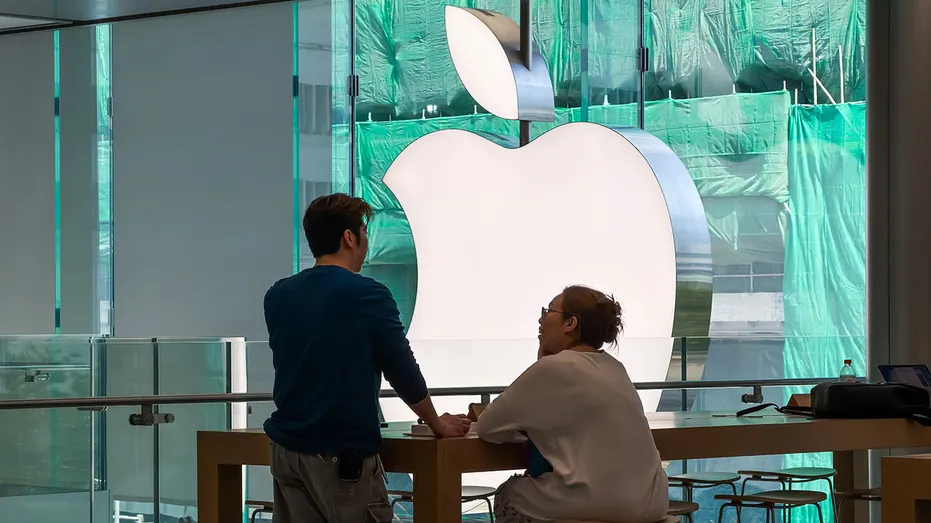
SouthernWorldwide.com – Apple used its annual developers conference, WWDC 2026, to unveil upcoming advancements for its suite of products including the iPhone, Mac, iPad, Apple Watch, and Vision Pro.
This year’s keynote held particular significance as it marked Tim Cook’s final WWDC as Apple CEO, with John Ternus set to assume the role in September.
However, the most significant developments for users revolved around software. Apple placed a strong emphasis on Siri AI and Apple Intelligence, positioning them at the core of the keynote presentations.
The company also announced that iOS 27 would support older iPhone models, alongside new child safety tools, enhanced performance, and more intelligent features integrated into everyday applications.
These updates span a wide spectrum, from major overhauls like Siri AI to subtle refinements that can still significantly improve the user experience. Users might notice these changes in areas such as faster photo retrieval, quicker file sharing, or more efficient management of weak passwords.
Here are the 12 most impactful takeaways from Apple’s WWDC 2026 keynote.
SIRI AI TAKES CENTER STAGE
The primary announcement from WWDC 2026 was the reimagining of Siri as Siri AI. Apple stated that Siri has been rebuilt around Apple Intelligence, enabling it to handle more complex requests and engage in extended conversations.
The new Siri retains its familiar activation phrase, “Hey Siri.” Apple also introduced a dedicated Siri app, allowing users to revisit past conversations, ensuring that longer exchanges or planning sessions are not lost after a single interaction.
Siri’s vocal capabilities have also been enhanced, with users able to customize its voice by adjusting its pace and expressivity to their preference.
During the keynote, a demonstration showcased Siri assisting with a local concert query. It then proceeded to help with ticket purchases, set a reminder for a lottery opening, and play a song by the featured artist.
Apple also highlighted Siri’s ability to utilize on-screen information. In one demo, Siri identified a location on the Santa Cruz coast from an image, then retrieved a friend’s address from Messages to help plan a route with a stop along the way.
Another example involved Siri searching Photos for images from a recent trip, filtering results by specific family members, and adding those photos to a shared family album.
On macOS, Siri was shown integrated within Spotlight and context menus. It demonstrated the ability to compare selected files, organize the information into a table, and use details from Messages and Mail to draft an email.
COLLABORATION WITH GOOGLE FOR AI MODELS
A notable revelation was Apple’s collaboration with Google on the development of next-generation Apple Foundation models.
Apple confirmed the use of technologies behind Google’s Gemini family of models to help create new models for Apple Intelligence. These models are designed for both on-device execution and processing through Private Cloud Compute.
While Apple continues to brand the user experience as Apple Intelligence, the partnership with Google is significant, indicating Apple’s willingness to leverage external AI technology to bolster its own systems.
Apple asserts that these new models offer improved reasoning, image comprehension, speech support, and image generation capabilities.
IOS 27 SUPPORT FOR OLDER IPHONES
Apple confirmed that iOS 27 will be compatible with the iPhone 11 and the same range of iPhone models that supported iOS 26.
This is welcome news for users who are not planning to upgrade their devices soon, as many of Apple’s significant software updates will continue to be available for older hardware.
Additionally, Apple announced the implementation of an improved CPU scheduler for older iPhones, starting with the iPhone 11. This system optimizes the management of processing power as users switch between different tasks.
In practical terms, Apple suggests that older iPhones will feel more responsive, which should enhance the experience when switching applications, searching for photos, or using multiple features simultaneously.
PERFORMANCE BOOSTS ACROSS DEVICES
Apple’s keynote was not solely focused on new AI features; significant attention was also given to performance enhancements. The company reported that iPhone and iPad apps can launch up to 30% faster.
New photos may appear in the Photos library up to 70% faster, and AirDrop transfers could be up to 80% faster. On iPad, browsing and transferring files to an external drive might be up to five times quicker.
These speed improvements aim to address common user frustrations, such as waiting for apps to open or photos to become visible. Faster AirDrop is also expected to make file sharing a more seamless process.
Apple also detailed improvements to network transitions, enabling iPhones to more intelligently switch between Wi-Fi and cellular connections. This is particularly beneficial in areas with weak Wi-Fi signals where a cellular connection would offer better performance.
REFINE LIQUID GLASS DESIGN
Apple revisited Liquid Glass, the visual design system introduced the previous year. This iteration refines Liquid Glass to enhance the readability of complex content displayed behind it, aiming for improved contrast and clearer separation between interface elements and background visuals.
A new slider in Settings will allow users to adjust the Liquid Glass effect, offering a range from fully transparent to more opaque tints. This provides users with greater control over the visual appearance, catering to preferences for either a transparent aesthetic or a stronger tint for better visibility of buttons and text.
On Mac, Apple is reintroducing more structural consistency. Toolbars will appear more uniform, sidebars will extend to the edge of app windows, and sidebar icons will regain their color. Window shapes will also be more consistent, reinforcing Apple’s commitment to the Liquid Glass aesthetic while prioritizing readability.
ENHANCED CHILD SAFETY TOOLS
A significant portion of WWDC 2026 was dedicated to child safety, teen-focused features, and parental controls. Apple highlighted the creation of a Child Account as a primary step, which automatically activates age-based safeguards, including blocking adult websites, media content limits, and App Store restrictions.
Parents will also have the ability to convert existing accounts into Child Accounts. The setup process has been made more guided, allowing parents to pre-select apps for a child’s immediate use and add more as the child matures. This approach ensures that essential apps like Messages or educational tools are available before broader web access is granted.
The “Ask to Buy” feature has been expanded, enabling parents to review app requests directly within Messages. A new “Ask to Browse” feature allows children to request permission before visiting new websites in Safari. Both “Ask to Browse” and “Ask to Buy” are enabled by default for children under 13, with the option for parents to activate them for teens as well.
Screen Time has been redesigned with more flexible controls, offering parents a clearer overview of how children use their devices and enabling faster adjustments to access settings.
The new “Time Allowances” feature provides parents with suggested limits for app categories such as Entertainment, Games, and Social Media. These recommendations are age-based and developed in consultation with clinical and child development experts, including the American Academy of Pediatrics. Parents retain the ability to customize these limits.
Scheduling options have also been introduced, allowing parents to define which apps are accessible during different times of the day. For instance, learning apps could be permitted during school hours, with entertainment apps available later. Weekend settings can also be differentiated from weekday settings, acknowledging the diverse approaches families take to managing screen time.
IMPROVEMENTS TO SAFARI AND PASSWORDS
Safari is set to receive Apple Intelligence features designed to address the common issue of tab overload. Safari can now organize open tabs into thematic groups. For tasks like vacation research, product comparisons, or project planning, Safari will group related pages and can add new relevant tabs as browsing continues, assisting users who tend to keep numerous tabs open.
The “Notify Me” feature in Safari allows users to request alerts for changes on a specific page before closing the tab. Examples provided include waiting for camp registration openings or product restocks. Safari will send a notification once the update is detected, offering significant relief for users who struggle with managing numerous open tabs.
Apple Intelligence is also being integrated into the Passwords app, a crucial development given that weak and reused passwords remain a primary vulnerability for account security breaches. While Passwords already flags potentially weak or compromised passwords, it will now offer one-tap updates to stronger passwords for eligible accounts.
This one-tap update capability is expected to encourage more users to address password security. The process of manually updating passwords often involves visiting websites, logging in, navigating to account settings, and creating a new password, which can be a deterrent.
Apple states that Passwords can leverage Safari to handle supported password changes automatically, simplifying the process of securing at-risk accounts before they become problematic. However, users are advised to ensure that new passwords are saved correctly and remain accessible.
VISUAL INTELLIGENCE EXPANDS
Visual Intelligence is becoming a more prominent aspect of Apple’s AI strategy. On iPhone, a Siri mode will be integrated into the Camera app, allowing users to point their camera at an object and receive a response from Siri based on what it sees.
Demonstrations included obtaining nutritional information from food items and assisting with splitting restaurant bills using Apple Cash.
On Mac, Visual Intelligence is accessible via a keyboard shortcut, enabling users to select content on their display and query Siri about it.
For iPad, Visual Intelligence integrates with screenshots, while on Vision Pro, Siri can answer questions about objects being viewed.
This integration aims to make Apple Intelligence more practical by connecting it directly to the user’s immediate surroundings, rather than being confined to a chat interface.
INTEGRATION WITHIN EXISTING APPS
Apple demonstrated how Apple Intelligence will be embedded within the applications users already utilize, enhancing everyday utility. Instead of requiring users to open separate AI tools, these features are being built into applications such as Messages, Mail, Calendar, Phone, Home, and Shortcuts.
In Messages, Apple AI can understand conversation context and offer one-tap suggestions, such as creating a reminder or note from a message. If photos are requested, Messages can help locate relevant shots by recognizing keywords, locations, and people in the user’s library.
Mail is also receiving enhanced suggestion capabilities, based on the email being read, to facilitate actions within favorite apps, including third-party applications.
Calendar is introducing a more natural method for event creation, allowing users to input details in plain language, with Calendar automatically filling in relevant information. An example showed Calendar identifying a contact, adding a location, and generating a title. It can also adjust recurring events based on descriptive changes.
The Phone app may see one of the more impactful upgrades with “Call Context.” This feature allows the iPhone to surface relevant details when calling a business. For instance, when calling an airline, the confirmation code from Mail could appear at the start of the call. Apple emphasizes that this feature analyzes who is being called, not the conversation content, and operates entirely on the device.
The Home app is becoming more intelligent regarding notifications and cameras. It can now consolidate related accessory alerts into a single, updating notification. For compatible cameras, the Home app can summarize recorded clips, retrieve related footage, and enable searches based on captured content.
Shortcuts are also being made more accessible. Instead of step-by-step automation building, users can describe their desired outcome. An example showed Shortcuts messaging a partner with an estimated time of arrival when someone leaves work.
The overarching goal is to make Apple Intelligence a tool for handling routine tasks that typically require navigating through apps, tapping, or searching, rather than solely focusing on Siri answering direct questions.
VISUAL CREATION FEATURES
Apple also announced several visual creation features, including a significant upgrade to Image Playground with more powerful image models. Apple claims it can generate higher-quality images in various styles, including photorealistic ones.
It can also incorporate people from a user’s Photos library, create images in different dimensions, and assist in generating backgrounds for Messages, contact posters, and Lock Screen wallpapers.
Users will be able to refine images by describing desired changes. By touching a part of an image, it can be moved, resized, or have details added. Photos is also gaining its own AI tools. “Clean Up” is being improved, and a new feature called “Extend” can expand a photo beyond its original frame.
“Spatial Reframing” is another new feature that allows users to adjust the framing of a photo after it has been taken. This is particularly useful for photos that are nearly perfect but have slightly off-kilter edges.
These advancements indicate Apple’s direction toward making the photo library more editable and easier to search with the assistance of Apple Intelligence.
AVAILABILITY AND LIMITATIONS OF SIRI AI
Siri AI will not be rolled out to all users simultaneously. Apple stated that Siri AI will be available in beta later this year, with developers having early access. Initial availability will be in English, with support for more languages to follow.
Furthermore, Siri AI will not be initially available in the European Union on iOS and iPadOS. In China, Siri AI and other new Apple Intelligence features will not be accessible while Apple addresses regulatory requirements.
Some Apple Intelligence features will be subject to daily usage limits, particularly those involving image generation and other features reliant on Apple’s server-based models. Apple indicated that users with most iCloud+ subscription plans will receive increased access.
It is important to note that feature availability may vary based on region, language, device support, and usage limits.
ADDITIONAL USEFUL UPDATES
Apple also announced several smaller updates that are expected to be highly beneficial.
While these may not be the headline-grabbing features, they have the potential to become some of the most frequently used updates for many users.
Apple’s strategy is to integrate AI seamlessly into devices rather than presenting it as a separate application. This means Siri could potentially search photos, interpret messages, draft emails, compare files, summarize camera clips, and facilitate actions within apps.
Safari could organize tabs, the Passwords app could resolve weak account credentials, Calendar could understand natural language input, and Shortcuts could become more user-friendly for those who have avoided building automations.
These conveniences, however, necessitate a degree of trust from the user.
PRIVACY AND TRUST IN AI
Apple emphasizes its privacy-first approach, stating that Apple Intelligence utilizes on-device processing and Private Cloud Compute, ensuring that user data is used solely to fulfill requests.
Apple also claims that external experts can verify these privacy assurances. Nevertheless, users are encouraged to pay close attention to the features they enable. AI becomes more valuable when it understands personal context, making it crucial to be aware of what information your device can access and utilize.
The promise is reduced friction in daily tasks. The key question remains how much access users are comfortable granting.
CONCLUSION: A RESET FOR SIRI AND APPLE INTELLIGENCE
Apple’s WWDC 2026 keynote felt like a significant reset for Siri and Apple Intelligence. Apple is aiming to transform Siri into a more capable assistant that can understand on-screen content and assist within existing applications.
The focus on addressing everyday frustrations, such as faster app performance, improved AirDrop, smarter search capabilities, stronger password management, and enhanced parental controls, is commendable.
However, Siri AI must now prove its effectiveness beyond keynote demonstrations. Certain features will have limitations, and some regions will experience delayed availability.
In my assessment, Apple is finally signaling a serious commitment to AI. The challenge now is to deliver on this promise across the devices people already own.
Would you entrust Siri AI to search your messages, photos, files, and apps to accomplish tasks for you, or does that level of access feel excessive? Share your thoughts by contacting us at Cyberguy.com