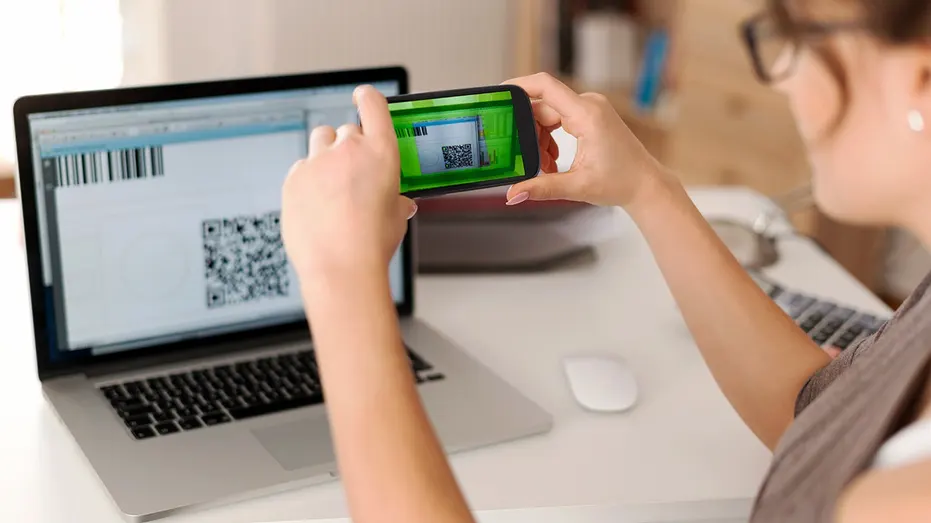
SouthernWorldwide.com – Scammers are increasingly using QR codes in phishing attempts, and a recent email targeting employees for performance reviews highlights this evolving threat.
The email, disguised as an official HR notice, mentions important details such as pay updates and benefits, creating a sense of urgency with a stated deadline. It also includes a QR code, purportedly to access an employee’s file.
While appearing to originate from an internal HR department, the email’s true intention is to trick recipients into scanning the QR code. This tactic is a classic phishing method designed to divert users from their computers to their phones, where verifying suspicious links can be more challenging.
Let’s analyze the specific elements that raise red flags and why this message should be treated with extreme caution.
FAKE TRAFFIC VIOLATION TEXT SCAM USES QR CODES TO STEAL PAYMENT INFO
This particular email is crafted to feel both routine and urgent simultaneously. Upon closer inspection, several warning signs become apparent.
The sender is listed as “CyberGuy,” but the actual email address is [email protected]. The domain “toituresphenix.com” has no apparent connection to any legitimate company, making it a significant indicator of a scam. Legitimate organizations always send official HR communications from their own corporate domains. Any unrelated domain should be considered highly suspicious.
The email sets a deadline of May 15, 2026, a common tactic to pressure individuals into acting quickly without thorough verification. While real HR processes do involve deadlines, they are typically communicated through secure and official channels, not via random emails with QR codes.
The instruction to scan a QR code to access a file is a newer form of phishing known as “quishing.”
Why this matters:
Typically, companies provide direct links or direct employees to log in through established, secure portals for sensitive information. They do not rely on QR-only access for critical details like compensation.
The email begins with “Dear Techtips,” which appears to be a generic placeholder or a sign of a mass mailing list. Authentic HR communications usually address employees by their full names and often include personalized details that scammers would find difficult to replicate.
Read more : Teen NBA Fan on Life Support After Playoff Celebration Injuries
A mention of a “secure HR access system” without naming a specific, recognizable platform like Workday or ADP is intentionally vague. This lack of verifiable detail is a deliberate strategy to prevent recipients from confirming the legitimacy of the system.
The presence of a Microsoft logo within the email does not imply that Microsoft sent the message. Logos are easily copied and inserted. While the layout might mimic a corporate notice, the overall formatting often feels generic. Genuine internal company emails typically adhere to a consistent, recognizable company template.
The message is marked as high importance, another visual cue designed to amplify the sense of urgency. Scammers deliberately employ multiple such signals to make recipients feel compelled to act immediately.
Instead of directing users to log into their HR portal, the email prompts them to scan a QR code and access a file directly. This is not how sensitive employee data is typically handled. Companies prioritize secure login systems over direct file access via QR codes.
FBI WARNS OF QR CODE SCAM DISGUISED IN MYSTERY PACKAGES
QR codes have become ubiquitous in everyday life, appearing on restaurant menus, airline tickets, and countless other places. This familiarity can inadvertently lower our guard, which scammers exploit.
The malicious links are embedded within the QR codes, making them difficult to preview. Once scanned, users might be directed to a convincing-looking fake login page, leading to the compromise of their credentials.
If a QR code leads to a phishing page, several outcomes are possible:
In some instances, attackers can use stolen login credentials to access company systems or personal email accounts, which can then be used to launch further attacks on the victim’s contacts.
These scams thrive on speed and distraction. By taking a moment to slow down and perform a few basic checks, individuals can significantly enhance their data protection.
If an email instructs you to scan a QR code, pause and verify its legitimacy. Instead of using the provided code, navigate directly to the official website yourself.
Look beyond the display name and verify the complete email address. If it does not match the company’s legitimate domain, do not trust it.
Access HR systems by manually typing the known URL or using a saved bookmark. Avoid clicking on links or scanning codes provided in unsolicited emails.
Messages that fail to use your actual name should be viewed with suspicion, as this often indicates a mass phishing campaign.
BE AWARE OF EXTORTION SCAM EMAILS CLAIMING YOUR DATA IS STOLEN
If something feels amiss, contact your HR team directly using a known and trusted method, not the contact information provided in the suspicious email.
Robust antivirus software can effectively block malicious links, identify phishing pages, and prevent malware installations. For my recommendations on the best antivirus protection for Windows, Mac, Android, and iOS devices in 2026, visit Cyberguy.com.
Scammers often leverage personal data found online to make their emails appear more credible. A data removal service can help reduce your online exposure by removing your information from data broker sites. Explore my top picks for data removal services and get a free scan to determine if your personal information is already compromised online by visiting Cyberguy.com.
Regular security updates patch known vulnerabilities. Enabling automatic updates ensures you are consistently protected against emerging threats.
Even if your login credentials are stolen, implementing a second verification step, such as two-factor authentication (2FA), can prevent unauthorized access to your accounts.
Your smartphone contains a wealth of sensitive information, including emails, passwords, photos, banking applications, and personal data. In this free, live online class, Kurt the CyberGuy will guide you through simple, real-time phone security enhancements. You will learn how to improve your privacy settings, identify the latest phone scams, utilize trusted security tools, and receive a straightforward checklist to maintain your protection. Register at CyberGuyLive.com.
Phishing emails are constantly evolving. While QR code scams linked to fake HR notices are prevalent now, future threats may appear equally routine. The most effective defense is simple: do not blindly trust the pathways an email provides when sensitive information is involved. Always use your own trusted methods for verification.
If a message urges you to act quickly with a QR code, would you pause to verify its authenticity, or would you trust it based on its familiar appearance? Share your thoughts with us by writing to Cyberguy.com.